
Audio Engineer Academy
AEA Bridge
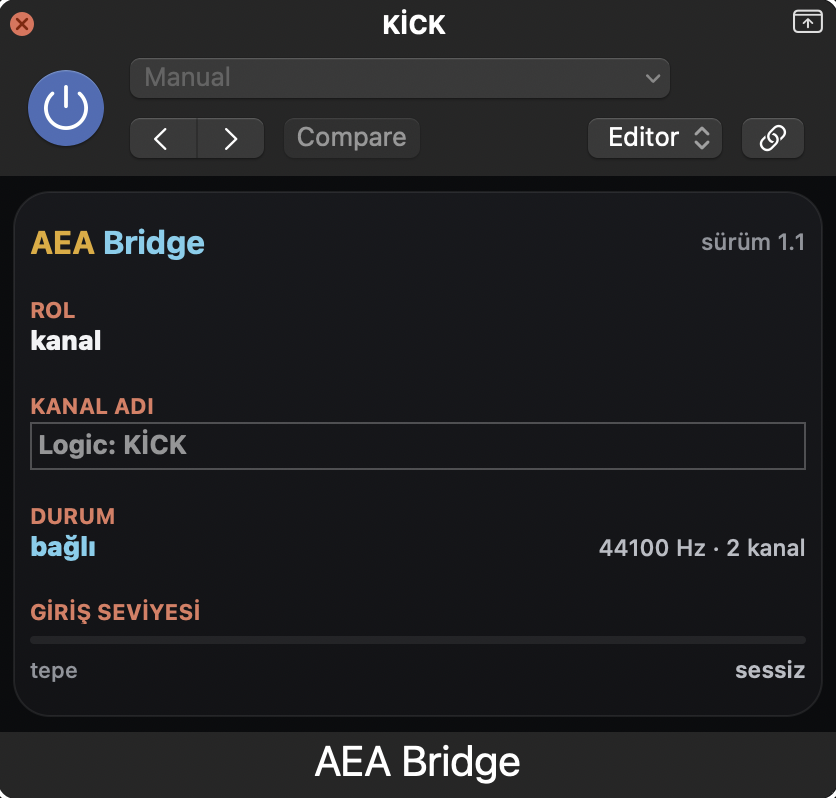
AEA Bridge is a free plug-in you put on your DAW on Mac. It passes audio through unchanged and sends it to the Audio Engineer Academy app on the same Mac, so you can listen to and measure your mix in the app's Live tab.
Download AEA Bridge 1.1.5 (.dmg, 0.9 MB)
Developer ID signed and notarized by Apple. SHA-256: 3560564288a6433103d994f0fec893a7b598a6ae1dedc096dd9ebbcfc43f86f4
Guide: English (PDF) · Türkçe (PDF)
Requirements
- A Mac with Apple silicon (M series). Intel Macs are not supported.
- macOS 12 or later.
- The Audio Engineer Academy app on the Mac.
- Logic Pro, Cubase or Fender Studio Pro.
Installing
- Quit Logic Pro, Cubase and Fender Studio Pro. The installer won't install while a DAW is open.
- Open the AEA-Bridge-1.1.5.dmg you downloaded.
- Double-click AEA Bridge 1.1.5.pkg and follow the steps.
- Open your DAW and make the setting below.
The package installs four parts: AEA Bridge (Audio Units), AEA Bridge (VST3), a MIDI helper that keeps the "AEA" MIDI port open in the background, and the Cubase MIDI Remote script. Everything goes into your own user folder.
DAW setup
Logic Pro
- Insert AEA Bridge (Audio Units) on the master (Stereo Out); for Channel Clash, also on the channels you want to compare (up to four).
- Logic Pro > Control Surfaces > Setup → New > Install → Mackie Control. Output Port and Input Port: AEA.
Cubase
- Insert AEA Bridge as VST3 on the master (Cubase on Mac doesn't load Audio Units).
- The installer adds the MIDI Remote script; Cubase recognizes AEA by itself.
Fender Studio Pro
- Insert AEA Bridge (Audio Units or VST3) on the master.
- Preferences → External Devices → Add → Mackie Control; Receive From and Send To: AEA.
Unlocking Live
The bridge is free. The app's Live tab (Channel Clash and Gain) opens with Pro + Live (the full bundle) or, if you already have Pro, with the Live upgrade. You can try Live free for 5 days; when the trial ends it simply closes and you are not charged. Everyone who buys Pro by October 20, 2026 gets Live for free.
Uninstalling
- Quit your DAWs.
- Double-click AEA Bridge Uninstall in the .dmg. If macOS says it was downloaded from the internet, click Open.
- Click Uninstall. If you're asked for access to the Documents folder, click Allow (the Cubase script lives there).
The uninstaller removes everything the installer put in place. It doesn't remove the app and doesn't ask for an administrator password.
Privacy
The bridge sends audio only to the app on the same Mac, inside the computer (127.0.0.1). It doesn't connect to the internet, doesn't record and doesn't send audio anywhere.